
Select a Resource to Explore
EmTechWIKI can only grow with your help.
Rate resources by clicking the up or down arrows when viewing an item’s page, no login needed.
Create an account and log in to contribute new resources to the WIKI. Learn more.
The best advice is to only adopt new tools and technologies that specifically support your desired objectives, never use technology just for the sake of it. Read More…
Never use a campus password to sign up for 3rd-party tools and always read the terms of use.
Apply Filters
-
MagicSchool.ai
MagicSchool is a generative AI platform for educators. MagicSchool contextualizes the power of AI through relevant tools and eliminates the need for complex prompting. It helps instructors be more effective and efficient. Over 50 tools that help: MagicSchool.ai
-

AI Prompts for Teaching: A Spellbook
This resource, written, by Cynthia Alby, describes excellent use cases and strategies for effectively using GenAI tools in education and training. AI Prompts for Teaching: A Spellbook
-

Elicit: The AI Research Assistant
Elicit is a research assistant using artificial intelligence (AI) language models like GPT-3 to automate parts of researchers’ workflows. Currently, the main workflow in Elicit is the Literature Review. If you ask a question, Elicit will show relevant papers and summaries of key information about those papers in an easy-to-use table.” Elicit can help researchers:…
-
Generative Artificial Intelligence (AI) Resources
This is a list of artificial intelligence (AI) resources and educators who are using these resources. Resources are listed by category as well as contact information. The Stevens Institute of Technology compiled the list. Generative AI Resources
-
Asana
Asana is project management software that allows you to keep track of various projects and tasks. Customization options allow you to personalize the experience to your preferences. There are different layouts for viewing tasks, keeping track of lists, and managing calendars (including social media). Asana allows you to add members to your “team” allowing multiple…
-

123Apps – Online Video Cutter
The Online Video Cutter web app comes in handy when you need to cut a small video file. It does not require installation, and it works in your browser. This online software also allows you to crop and rotate videos in almost any format. Audio and PDF editing options are also available through the 123Apps,…
-
lino
Lino is an online bulletin board for a variety of different purposes. Users can use the tool for private works or they can simply create boards that can be visible to the public. It is an ideal tool that enables collaborative working. This sticky note platform lets you add virtual sticky notes to a virtual…
-

Venngage
Venngage is an online tool for creating infographics, reports, and data visualizations. Infographics make complex, important, or technical information easy to digest. Pick from hundreds of charts, maps, icons, and import data directly from your spreadsheets into numerous chart styles and infographic templates. This blog post titled, “Venngage: 7 Ways eLearning Infographics Make Education Easier,”…
-

Coggle
Coggle is a collaborative mindmapping tool that allows for the creation and sharing of flexible diagrams that illustrate connections between various concepts. Coggle
-

Creating an Online Community, Class or Conference – Quick Tech Guide
This guide is an editable Google Doc that has a wide collection of resources to assist you to create an online community, class or conference. “Are you creating an online course, event or conference? If you’re not a programmer, and if you don’t have a lot of money to spend, this guide will get you…
-

Microsoft Digital Literacy Course
Learn how to effectively use devices, software, and the internet to collaborate with others and discover, use, and create information. The Microsoft Digital Literacy course is for anyone with basic reading skills who want to learn the fundamentals of using digital technologies. The course is at a reading level like that of most newspapers around…
-

Stanford d.school
Everyone has the capacity to be creative. The Stanford d.school is a place where people develop problem-solving skills using methods from across the field of design. Resources on this site include toolkits to guide learners through design challenges. Stanford d.school Stanford d.school – Resources How to Design an Education Escape Room
-
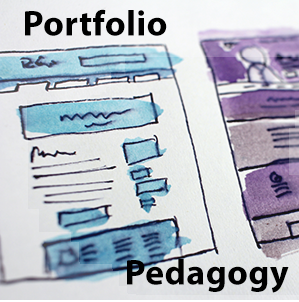
Association for Authentic, Experiential, & Evidence-Based Learning (AAEEBL) Collaboratory
A collection of ePortfolio examples, tools, and resources shared through community contributions to the Association for Authentic, Experiential, & Evidence-Based Learning (AAEEBL) 2020 Virtual Annual Meeting’s Collaboratory. Association for Authentic, Experiential, & Evidence-Based Learning (AAEEBL ) Collaboratory
-

Hypothesis
Use Hypothesis to collaboratively annotate, highlight, and tag documents and hold discussions, read socially, organize your research, and take personal notes on webpages, PDFs, and EPUBs. Social reading with collaborative annotation helps people connect to each other and what they’re reading. Hypothesis Keywords: collaborative document editing, close reading
-
Toodledo
The tool has paid options but it’s free version is really powerful tool which is highly recommended to organize your life.
-
Mega
MEGA provides secure cloud storage and communication. Privacy protection is built-in by design. This service provides end-to-end encryption. In the future, MEGA will continue to develop innovative products and features that complement its existing platform to help improve security on the Internet without compromising on usability. Mega
-

You Need A Wiki
You Need A Wiki (YNAW) is a simple, yet effective tool for creating a wiki utilizing Google Docs for editing and your Google Drive for storage. This tool is ideal if you work with Google regularly and maintain a Google Drive. You simply create an account and then import folders from Google drive into YNAW.…
-
MeisterTask
MeisterTask is an intuitive project and task management tool on the web and mobile. With its powerful collaboration features and flexible, Kanban-style project boards, MeisterTask lets you and your team manage projects of all types and sizes. It keeps you up to date on your project progress and it makes sure that you never lose…
-

PowerNotes
The PowerNotes Chrome extension eliminates the need to copy and paste or employ other poor processes to capture content. PowerNotes users just highlight material they find useful, include an annotation if appropriate, and then categorize the highlight into a topic of their choosing. PowerNotes is designed to unify the steps of reading, gathering, saving, annotating,…
-

Joplin
Joplin is a free, open-source note taking and to-do application, which can handle a large number of notes organized into notebooks. The notes are searchable, can be copied, tagged, and modified either from the applications directly or from your own text editor. The notes are in Markdown format. The notes can be synchronized with various…