
Select a Resource to Explore
EmTechWIKI can only grow with your help.
Rate resources by clicking the up or down arrows when viewing an item’s page, no login needed.
Create an account and log in to contribute new resources to the WIKI. Learn more.
The best advice is to only adopt new tools and technologies that specifically support your desired objectives, never use technology just for the sake of it. Read More…
Never use a campus password to sign up for 3rd-party tools and always read the terms of use.
Apply Filters
-
Microsoft Sway
Sway is a Microsoft Office application with which you can create portfolios, presentations, websites, newsletters, interactive reports, and more. First of all, Sway is free – you just need to have a Microsoft account (Hotmail, Live, or Outlook.com), and it’s easy to use. Formatting is very easy and the transitions they use in the presentation…
-

UB Libraries’ Authority Research Guide
This Research Guide will help you better understand authority in the context of research and information and provide you with methods of evaluating an information source to determine its authority. Authority, generally, represents the right to give orders, make decisions or have control over something. In information, a source that is authoritative contains credible, reliable…
-
UB Libraries’ Applied Digital Literacy Coursera MOOC Specialization
This Coursera MOOC Specialization is intended for anyone seeking to develop online, internet researching skills along with advanced knowledge of multimedia for the creation of digital objects such as presentations, infographics, posters, commercials, podcasts, and movies. Through these three courses, learners will cover how to identify their information need, understand which tools to use when…
-

Screen Mirroring A Phone, IPad Or Laptop To TV: How To Push Your Phone To The Big Screen
Practically everyone has a screen in their pockets at all times, however, looking at photos and videos on a phone’s relatively small display is not the best for viewing. Even watching videos, YouTube, and other content on a computer or laptop screen is not optimal. There are plenty of different ways you can mirror these…
-

GCF LearnFree.org – Internet Safety Course
Staying safe online is essential in today’s world. Use these Internet safety tips to keep yourself and your loved ones protected. This site shares a number of Google search strategies and tips created by the Goodwill Community Foundation (GFC) Global to get you started on your quest to find new things to learn about. This link…
-

Creating an Online Community, Class or Conference – Quick Tech Guide
This guide is an editable Google Doc that has a wide collection of resources to assist you to create an online community, class or conference. “Are you creating an online course, event or conference? If you’re not a programmer, and if you don’t have a lot of money to spend, this guide will get you…
-

Microsoft Digital Literacy Course
Learn how to effectively use devices, software, and the internet to collaborate with others and discover, use, and create information. The Microsoft Digital Literacy course is for anyone with basic reading skills who want to learn the fundamentals of using digital technologies. The course is at a reading level like that of most newspapers around…
-

oTranscribe
Have you ever had to transcribe an audio content before? You probably had to be listening for 5 seconds, switch to a notepad to type out what you just listened to, and that over and over again. With oTrascribe, you can do the listening and typing in the same environment. With some customizable key combination,…
-

Wikipedia List of Fact-checking Websites
In this age of misinformation, the internet and mass movement of data on the internet and plethora of data has made is more difficult to know what is true and what is not. People nowadays are looking for instant gratification and quick response and reaction. Fact-checking has become an extremely viable tool. List of…
-
Edureka
Edureka is an online training provider that helps professionals learn trending technologies for career growth. Learn top trending courses like Big Data, Hadoop, RPA, Cloud, DevOps & More. Expert Educators. Flexible Batch Timings. 24/7 Lifetime Support. Instructor-led Classes. No Cost EMI Option. Edureka – E-Learning Platform
-

Open Broadcaster Software (OBS)
Open Broadcaster Software is free and open-source software for video recording and live streaming. As of 2016, the software is now referred to as OBS Studio. There are versions of OBS Studio available for Microsoft Windows, Mac, and Linux. OBS is useful to create videos and add effects with webcam, screen, and audio capture. It…
-
Association for Authentic, Experiential, & Evidence-Based Learning (AAEEBL) Collaboratory
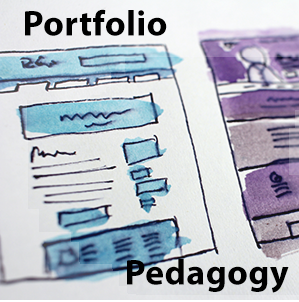
A collection of ePortfolio examples, tools, and resources shared through community contributions to the Association for Authentic, Experiential, & Evidence-Based Learning (AAEEBL) 2020 Virtual Annual Meeting’s Collaboratory. Association for Authentic, Experiential, & Evidence-Based Learning (AAEEBL ) Collaboratory
-

Google AR VR
This site shares information about Augmented Reality (AR) and Virtual Reality (VR) and how they can be used to bridge the digital and physical worlds. They allow you to take in information and content visually, in the same way you take in the world. AR dramatically expands the ways our devices can help with everyday…
-
Kanopy
Kanopy offers thoughtful entertainment free of charge by partnering with public libraries and universities. Individuals affiliated with a library or educational institution can utilize these resources to educate and raise awareness about important issues. It has movies categorized by genre. The user may also use the search feature to find relevant content based on the…
-

Doodle Buddy
Doodle Buddy is the most fun your fingers can have on a Windows device! It’s like finger-painting, but instead of getting your fingers messy, you get to create amazing works of art that you can share with friends. Even non-artists can create a masterpiece with thousands of colors, stencils, and stamps. Doodle Buddy
-

Medium
Medium is a publishing platform with a social twist. The platform has 120 million readers that are able to directly follow the publisher or the writer they want and read their articles. The platform encourages writers from all over the world to become a member and publish on its platform. The social aspect of the…
-

PowerNotes
The PowerNotes Chrome extension eliminates the need to copy and paste or employ other poor processes to capture content. PowerNotes users just highlight material they find useful, include an annotation if appropriate, and then categorize the highlight into a topic of their choosing. PowerNotes is designed to unify the steps of reading, gathering, saving, annotating,…
-

Typology of Free Web-based Learning Technologies
The 2020 Typology of Free Web-based Learning Technologies from the EDUCAUSE research library contains 226 free technologies arranged into 40 types and 15 clusters that educators can use to promote more productive and interactive learning. Brief descriptions, example tools and pedagogical uses are provided for each category. This Typology has been developed by Matt Bower…
-

Hoax or Fact
Hoax or Fact is an attempt to spread knowledge and wisdom. To bring out the truths and facts behind all kinds of online rumors and hoax messages. The people, at Hoax or Fact, research, and analysis of various online issues in-depth, so as to put a check on all kinds of online spammers, thus preventing…
-

Bitly
Bitly is a link management and URL shortening tool. It can help track how many clicks the shortened link receives, what geographic location the clicks are coming from, and automatically generates QR codes for your Bitly links. In addition, Bitly allows you to track engagement metrics, giving you a clearer picture of how well your…