
Select a Resource to Explore
EmTechWIKI can only grow with your help.
Rate resources by clicking the up or down arrows when viewing an item’s page, no login needed.
Create an account and log in to contribute new resources to the WIKI. Learn more.
The best advice is to only adopt new tools and technologies that specifically support your desired objectives, never use technology just for the sake of it. Read More…
Never use a campus password to sign up for 3rd-party tools and always read the terms of use.
Apply Filters
-

What is a Cognitive Tool for Learning?
The idea of a cognitive tool or ‘mind tool’ was popularized in the 1990s by David Jonassen. It explains that not all educational technologies are beneficial for learning. According to this concept, only educational technologies that help us learn more deeply than before are beneficial. Definition We usually think of an educational technology as a…
-

Telegram
“Telegram is a messaging program with a focus on speed and security, it’s super-fast, simple and totally free. It’s possible to utilize Telegram on all of your devices at precisely the exact same time — your own messages sync effortlessly across any range of your phones, tablets or tablets. It’s possible to utilize Telegram on…
-

Directory of Learning & Performance Tools – Centre for Learning & Performance Technologies
This searchable Directory has been compiled by Jane Hart. The directory contains over 1,000 entries categorised into 35 headings. This directory compliments the website that shares the Top Tools for Learning compiled from an annual survey sent out through the Centre. Directory of Learning & Performance Tools – Centre for Learning & Performance Technologies
-

Freedcamp
Freedcamp is freemium project management software for an unrestricted number of projects and users. The company endeavors to deliver an agile experience free of charge to customers worldwide. It’s worth noting that Freedcamp provides all additional features at no cost to teachers and students. Created to accompany Agile methodologies in the software development process, Freedcamp also…
-
WeVu
WeVu is built for hands-on skills learning where students self-record on phones and instructors can give time-stamped feedback and assessment.
-

Miro – Collaboration without Constraints
Miro (formerly RealtimeBoard) is a visual collaboration platform allowing product managers, designers, developers, and marketers to create, collaborate, and centralize communication across the company on a single online whiteboard. Miro’s marketplace has integrations with over 50 apps allowing users to connect their favorite software. Popular integrations include Microsoft, Atlassian, and Slack. Miro claims to be…
-
Trello
Trello is an online tool for managing professional projects and personal tasks. Use Trello boards, lists, and cards to organize and prioritize projects and to-do lists. This task management app gives you a visual overview of what is being worked on and who is working on it. Trello is a web-based Kanban-style list-making application, useful in…
-

Directory of Open Access Repositories (OpenDOAR)
With academic researchers as the target audience in mind, Directory of Open Access (DOAR) is a platform that conveys the true meaning of open access for full-text resources. It strives to enhance the access of resources so much to not include any site with limited access or sites that contain only metadata records. OpenDOAR is…
-

Versal
Versal is a ‘daily learning platform’ with a holistic approach with educators as the target audience, Versal provides an online space for easy presentation of lecture materials with integrated interactive assignments. Versal makes online learning simple enough for anyone to deploy. Blend classroom lectures with interactive assignments, make distance learning more effective, Versal
-

Ten Tips for Hosting a Web Meeting
This short article from Faculty Focus shares 10 tips for hosting web meetings. Web meetings allow participants to meet online to collaborate and share information. This article is published through the Faculty Focus website, but the tips provided are very relevant to any web meeting. Ten Tips for Hosting a Web Meeting Keywords: Collaboration, webconference, webconferencing,…
-

SUNY OER Services – Embracing Open Pedagogy
Open Pedagogy is a commitment to learner-driven education AND a process to shape teaching approaches and use tools for learning that enable the learners to contribute by creating and sharing learning content. SUNY OER Services – Embracing Open Pedagogy
-
Edulai for employability skills development
Dynamic library with free internet learning material for improving employability skills
-

Flippity
Flippity is a series of web apps that can easily turn a Google Spreadsheet into a set of online Flashcards or Quiz Show. There are cards for helping a teacher create random groups, or mix and match activities. Students accomplishments can be tracked using the Badge Tracker and the Certificate Quiz. There is even a…
-
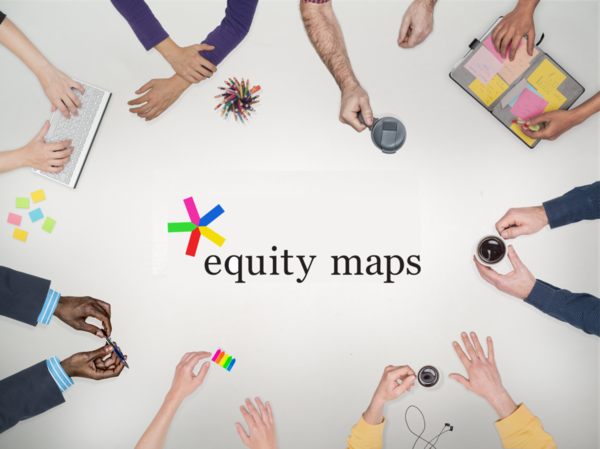
Equity Maps
Equity Maps is an iPad app to trace and assess interaction, performance, and involvement in class or group discussions. Chart & record the interactions to graphically illustrate levels of participation. Use in class discussions to encourage equitable dialogue, promote wider collaboration. Questions this app can help you address include: Is everyone sharing air-time? Is someone with…
-

YoTeach
This anonymous backchannel/chatroom allows text, drawing, photo uploads, and annotating functionality. Easy to use and no login is required. It is advertised as an alternative to TodaysMeet, a popular backchannel tool that is no longer available. YoTeach Keywords: chat, backchannel
-

Answer Garden
A tool that can be used for real-time classroom brainstorming or online homework. Can be used in the classroom, for professional development, creativity and more. Results can be displayed in a visual Wordcloud format with the most often used responses showing in relatively larger text-size. AnswerGarden Keywords: response, polling, wordcloud, audience response, classroom response
-

VideoAnt
VideoAnt is a web-based video annotation tool for mobile and desktop devices. Use VideoAnt to add annotations, or comments, to web-hosted videos. VideoAnt-annotated videos are called “Ants”. VideoAnt Keywords: peer review, video annotation
-

Panopto: Lecture Capture
Panopto is a lecture-capture program. It is used to record any activity on a computer to an online video. The video is then indexed automatically for certain events, such as each slide advance of PowerPoint slides. Panopto records audio as well, along screen activity such as clicking on the screen and navigating web pages, the…
-

Freshdesk Help Desk Software
Intuitive, feature-rich, affordable customer support software
-

LinkedR
Linkreducation is an associated platform in which you find, build, and manage educational & pedagogical collaborations. On this platform, you can add a class, invite students, find a collaborative partner, let students share with a larger group, explore and assign them work, and the opportunity to exchange and to get feedback. The options are wide…